
Visual Editor Community Budget: From Innovation to Production-Ready
The TYPO3 Community Budget project enhanced the Visual Editor extension's accessibility, reliability, and suitability for multilingual editorial work. With the funded work complete, Visual Editor is now production-ready while maintaining its path to TYPO3 Core.

Moving Visual Editor Toward Everyday Use
In March 2026, a TYPO3 Community Budget idea set out to improve the Visual Editor extension in four areas: accessibility, language comparison, focused editing, and hardening.
The proposal aimed to move the extension from a promising innovation toward a more production-ready tool for everyday editorial work. It deliberately left room for practical technical decisions and described a true full-screen mode as conditional on technical feasibility.
This article marks the completion of that funded project.
The most visible result is the side-by-side multilingual editing workflow introduced with Visual Editor 1.8.0. However, much of the work happened below the surface. Accessibility improvements, automated testing, architectural changes, real-project testing, and many smaller fixes have created a much more reliable foundation.
The Starting Point Was Already Functional
At the beginning of the project, Visual Editor was not a broken prototype. Its main features already worked well.
Editors could change text and rich text directly in the rendered page, move content elements using drag and drop, highlight editable areas, and preview changes without constantly switching between backend forms and the frontend.
The main shortcoming was a lack of confidence.
Automated test coverage was still limited, and the extension had only been tested in a small number of real projects. Broader project use exposed many small issues and edge cases that could then be fixed. The goal of the funded work was therefore not to replace the existing concept, but to polish it, test it, strengthen it, and make it safer to use in complex projects.
The result is an extension that I now consider ready for production use, including larger and more complex TYPO3 installations.
Accessibility: Better Keyboard and Screen Reader Support
Accessibility turned out to be one of the largest and most demanding parts of the project.
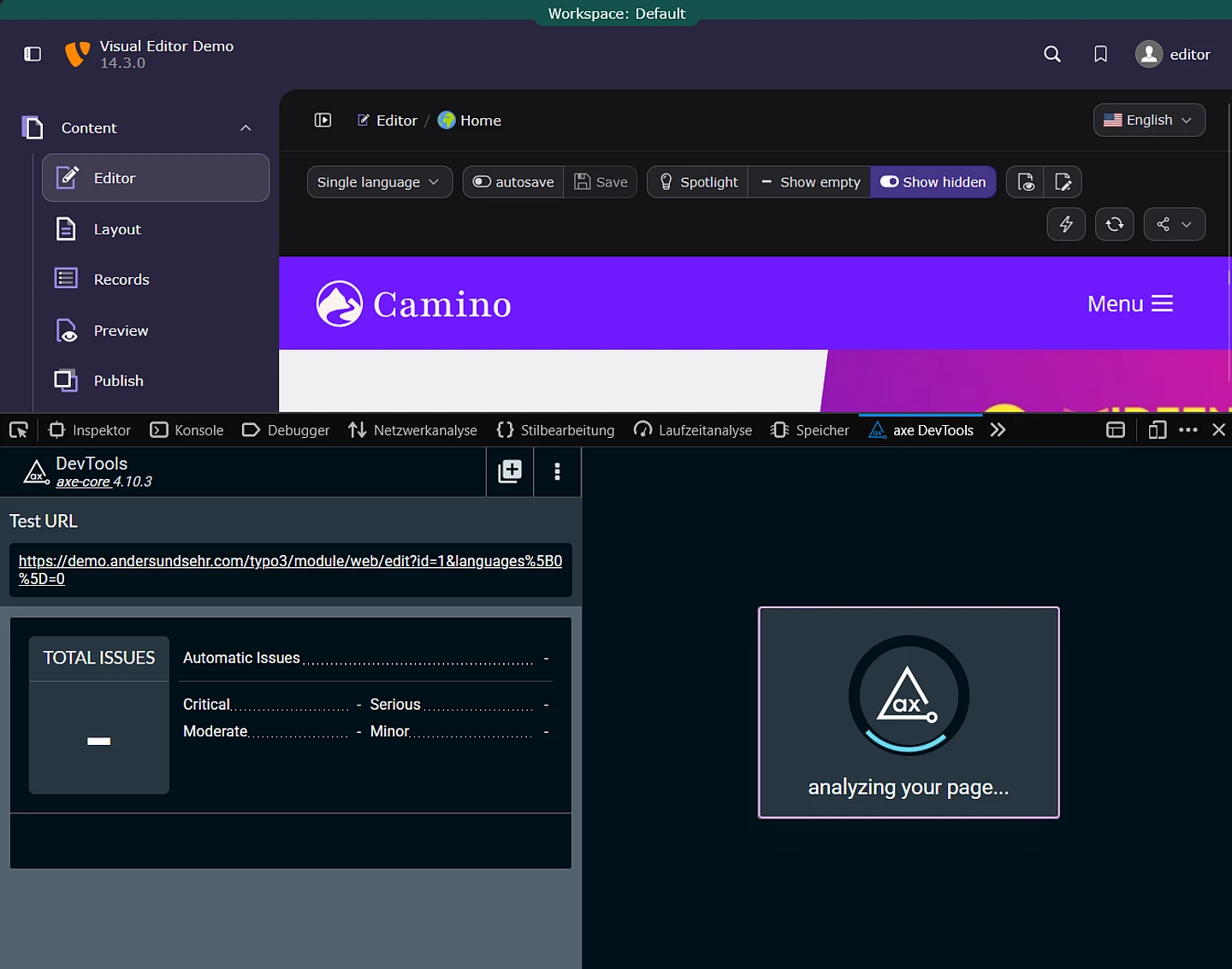
Between versions 1.4.0 and 1.7.3, many parts of the interface were reviewed and improved. Controls were made keyboard-focusable, accessible labels and semantic roles were added or refined, focus behavior was improved, and validation messages became easier for assistive technologies to announce.
The changes were checked using axe DevTools and through manual keyboard testing with NVDA on Windows and VoiceOver on Apple devices. Results and possible improvements were also discussed with members of the TYPO3 Accessibility Team.
Visual Editor uses WCAG 2.2 AA as a design goal. This is not a certification or a claim that every TYPO3 project using Visual Editor is automatically accessible.
The final result still depends on the site’s templates, CSS, semantic HTML, and editor-created content. Some interactions, especially drag and drop, also remain pointer-oriented and may require alternative project-specific workflows.
Even with these limitations, the improvements provide value beyond accessibility alone. Editors who prefer keyboard-driven workflows can perform many everyday actions without constantly switching between keyboard and mouse.
There is still room for further improvement, particularly in the multilingual view. Accessibility is not a task that can be marked as permanently finished, but the funded work has established a much stronger baseline.
Language Compare: The Most Visible Result
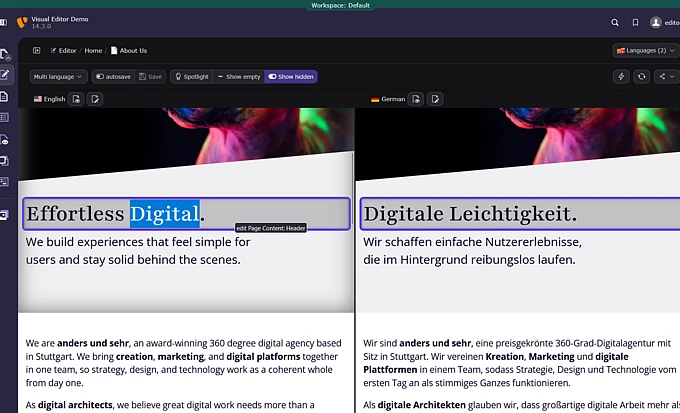
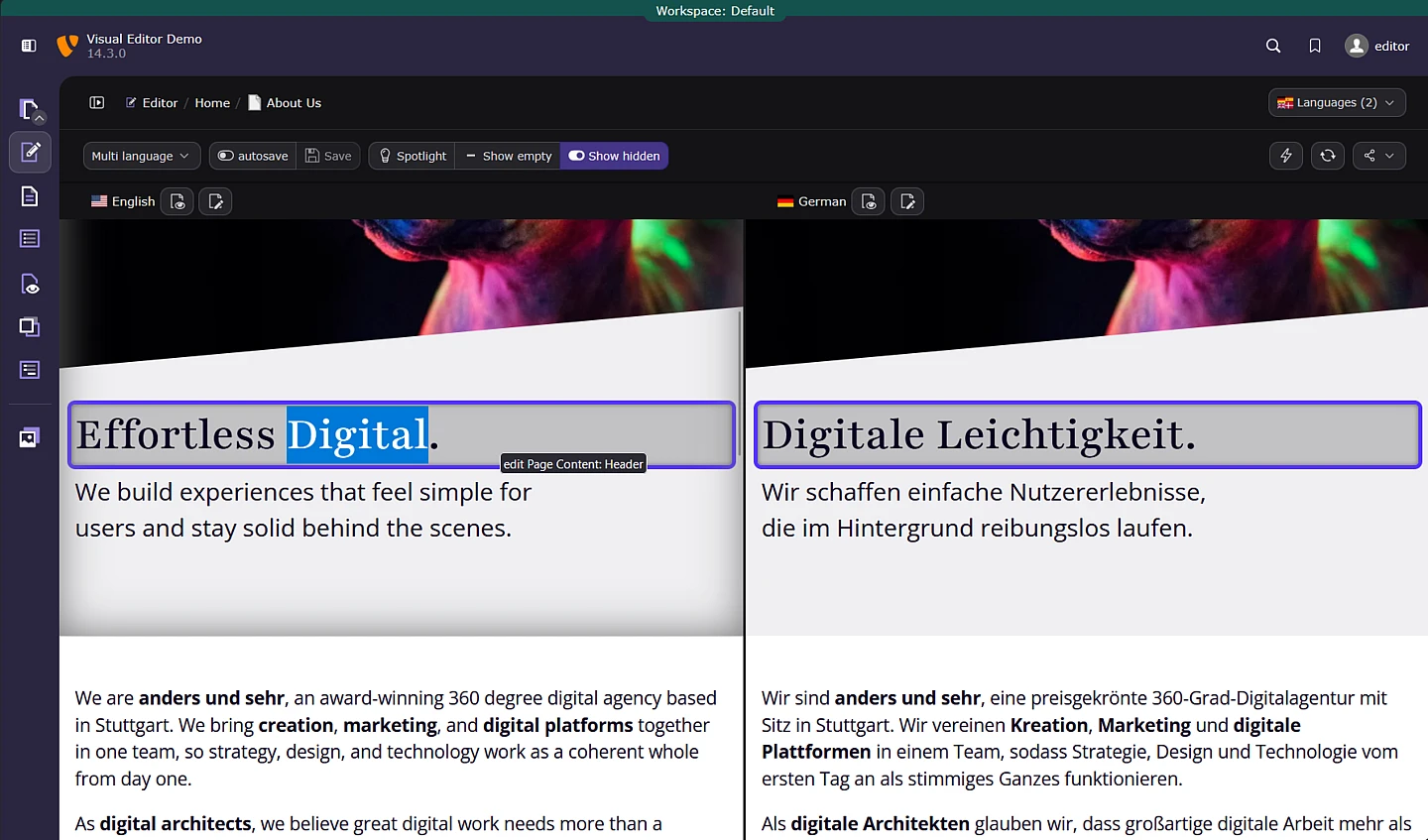
Visual Editor 1.8.0 introduced side-by-side multilingual frontend editing.
Editors can open multiple language versions of a page next to each other, compare the fully rendered result, and edit visible fields directly in each language. This preserves the visual context that is often lost when working only with backend forms.
The complete workflow was introduced in the previous article, CMS World Premiere: Side-by-Side Multilingual Frontend Editing.
One smaller but particularly useful detail is the connection between corresponding fields. When an editor focuses a text field in one language, the related fields in the other visible languages are highlighted. This makes it easier to identify the matching translation without searching through the page.
The work also required changes that are less visible to editors. The saving logic was moved to a TYPO3 backend AJAX route. This resolved an issue and enhanced the architecture for saving and synchronizing changes. Navigation, loading feedback, and synchronization between the visible editing views were also refined.
Language Compare is the clearest example of what focused community funding can achieve. Without the Community Budget, this feature would probably not have been implemented at any point in the near future.
Hardening: The Work Users Do Not Always See
The original Community Budget proposal also focused heavily on hardening.
This work is less spectacular in screenshots, but it is essential for the future of the extension. Visual Editor now has PHP and Node.js unit tests, PHP functional tests, ESLint checks, PHPStan analysis, and Rector-based quality tooling.
These tools help detect regressions, coding problems, and compatibility issues earlier in the development process. They also make it safer for other contributors to work on the codebase.
Testing in real TYPO3 projects complemented the automated checks. Different templates, content elements, permissions, multilingual records, rich-text configurations, workspaces, and project-specific integrations exposed many smaller issues that were difficult to reproduce in a controlled demo installation.
Fixing these cases has improved areas such as:
- Error handling
- Loading and saving feedback
- Drag-and-drop behavior
- Rights and access handling
- Multilingual records
- Hidden and deleted content elements
- Rich-text editing
- Compatibility with custom templates and sitepackages
- Maintainability of both PHP and JavaScript code
The test coverage is not complete, and more automated scenarios would still be valuable. Nevertheless, the project now has a much more robust foundation for future development and possible Core integration.
Focused Editing Without a Separate Full-Screen Mode
The original proposal included progress toward a more focused editing mode. A dedicated full-screen mode was explicitly described as optional and dependent on technical feasibility.
A true full-screen mode was not implemented.
The main reason was long-term architecture. Introducing a separate solution only for the extension could make a later integration into TYPO3 Core more difficult. Avoiding such a detour was more important than delivering a feature that might need to be replaced shortly afterwards.
Instead, the surrounding interface was improved so it interferes less with the editing workspace.
One example is the TYPO3 page tree. Its collapsed state is now remembered across page loads (only in the Visual Editor). Editors can close the tree and keep it closed instead of having it reopen whenever you reload.
This provides considerably more space for the rendered page and comes close to the practical benefit of a full-screen mode without introducing a separate architectural concept.
The intent of the original proposal was therefore addressed, even though the result is not a traditional full-screen feature. This is also consistent with the original scope, which promised progress toward focused editing rather than guaranteeing a particular implementation.
Tested With Real Projects and Real Feedback
One of the most important changes during the funded period was the broader use of Visual Editor in actual TYPO3 projects.
Feedback came from editors, agencies, integrators, presentations, live demonstrations, support requests, GitHub issues, and pull requests. This practical testing led to many smaller bug fixes and workflow improvements that are difficult to predict when developing only against a demo setup.
Simon Praetorius helped test the extension in different projects and worked on solutions for several technical problems. My colleagues at anders und sehr also supported testing.
Benni Mack acted as an important mentor and connection to the TYPO3 Core Team. This helped ensure that architectural decisions were not made only for the current extension, but also with possible future Core integration in mind.
The TYPO3 UX and Accessibility teams, as well as everyone who tested the extension or shared feedback, also played an important role in moving the project forward.
What Community Funding Made Possible
The Community Budget provided the focused development time needed to work on improvements that are important but difficult to finance through individual customer projects.
Language Compare is the clearest example. It solves a real editorial problem and strengthens one of TYPO3’s established advantages: complex multilingual content management. At the same time, it required substantial architectural and interface work that would probably not have been implemented without community funding.
Hardening and accessibility work face a similar challenge. Customers benefit from them, but individual projects rarely finance the complete foundation required by the wider ecosystem.
The Community Budget process is therefore a valuable way to move TYPO3 forward in areas that benefit many projects at once.
One useful lesson for future proposals is the value of early coordination. Discussing an idea with the relevant teams, maintainers, and Core contributors before submission can help align the scope with TYPO3’s broader product direction from the beginning.
Production-Ready, but Not a Complete Page Builder
Visual Editor can now be used productively in large and complex TYPO3 projects.
It is important, however, to understand what it is designed to be.
Visual Editor does not replace TYPO3’s structured content model, and it does not turn TYPO3 into a generic page builder. It adds direct visual editing to the existing TYPO3 content architecture.
Editors can work with the page as visitors will see it while TYPO3 continues to provide structured records, permissions, localization, workspaces, and long-term maintainability underneath.
Some features commonly associated with complete page builders are not yet available. Adding them would require more fundamental work, including changes and new APIs in TYPO3 Core.
This distinction is intentional. Visual Editor improves how TYPO3 content is edited without giving up the architecture that makes TYPO3 suitable for complex and long-lived projects.
The Community Budget Project Is Complete
With the accessibility improvements, Language Compare, focused workflow refinements, automated quality tooling, architectural changes, project testing, and resulting bug fixes, the work funded through this Community Budget idea is complete.
That does not mean development of Visual Editor is complete.
It means the agreed project has reached its intended conclusion and created a stable basis for the next chapter.
The primary goal now is closer integration with TYPO3 Core. Ideally, visual editing could become part of TYPO3 v15. This is an ambition and a direction, not yet a confirmed Core feature.
Technically, large parts of the extension, possibly all of it, could move into the Core. Doing so will require substantial work, careful architectural decisions, and close collaboration with the Core Team.
The project would also benefit from another maintainer or technical sparring partner who understands its internals and can help share long-term responsibility.
Try Visual Editor in a Real Project
The most valuable next step is real-world use.
Install Visual Editor in a TYPO3 v13 or v14 project, test it with actual content and editorial workflows, and share detailed feedback in the #ext-visual_editor channel in TYPO3 Slack. Report problems, describe missing use cases, contribute improvements, or help shape its path toward TYPO3 Core.
Visual Editor has moved from an exciting experiment to a production-ready tool.
Now it is time to use it.
