
The Exciting New Features in TYPO3 v14
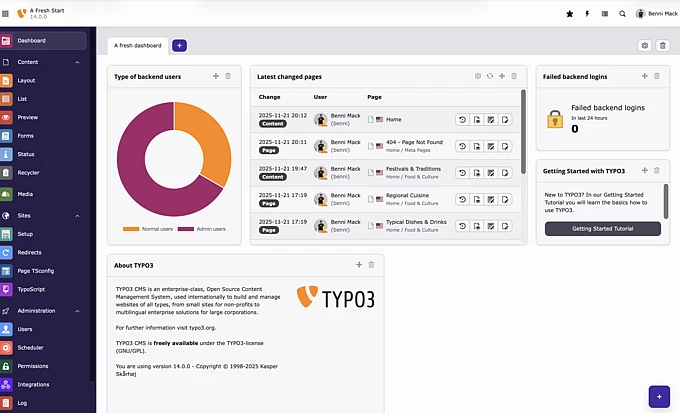
TYPO3 v14 introduces major usability, design, and localization upgrades. Discover the most impactful new features coming to the CMS in its latest release.

Introduction
The moment has arrived. From the T3CON25 stage in Düsseldorf, the release of TYPO3 v14 was announced, bringing with it the expected excitement and anticipation about what new additions and exciting features the new update has in store for users.
We’ve been excited to share information about the release, and what end users can expect from the 14.0 version, all the way up until the LTS release in 2026. Through discussions with the TYPO3 Core Team and Project Lead Benni Mack, our team has identified some of the most noticeable, along with the most impactful new features to look out for.
Aptly given the slogan, “We’re Just Getting Started”, v14.0 promises to be the first step in a series of major improvements to both backend functionality and frontend output for TYPO3 users.
This article will explore some of the most forward facing features and new additions to the product. For a detailed overview of all the changes v14 has in store, including the “under the hood”, developer-oriented features, be sure to check out our release announcement.
What to Expect in TYPO3 v14: An Overview for Editors
Each TYPO3 release brings its own unique set of new features and improvements to the core product that impact anything from performance and scalability to design, editor experience, and accessibility. We covered some of the major changes and hidden gems of the v13 release in 2024, and when looking ahead to this year’s release, it became clear that there were some major improvements on the usability and editor experience front. In fact, the Core Team confirmed there were over 2,000 changes made in this version, both small and large, and all with the goal of delivering an improved editor experience and overall performance.
Let’s dive in.
A New Era of Usability
The TYPO3 backend is the central interface where editors, integrators, and administrators log into and maintain their TYPO3 instances. Improving this section of the backend has always been a priority, and major efforts were made to improve the overall experience when navigating the interface.
TYPO3 v14.0 offers users a more intuitive and user-friendly experience, featuring a refined layout, structure, and organization of key features. This aims to help new editors manage their pages, and delivers a refined visual experience for anyone working in the backend.
Guided by the TYPO3 v14 roadmap, where the primary objective is to modernize the backend and offer a fresh new design, new improvements will continuously be rolled out in line with the release cycle.
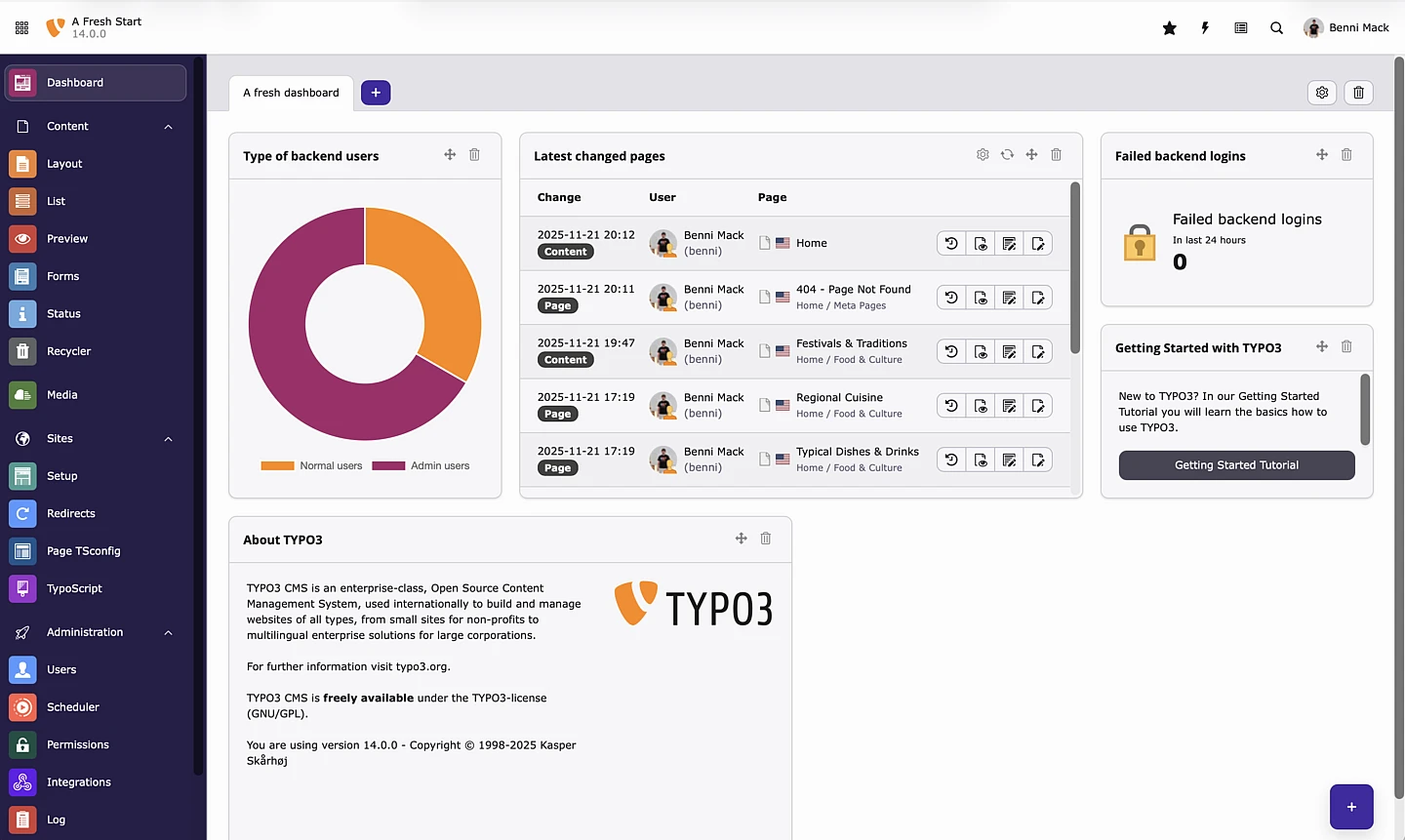
One of the main improvements is renaming the backend modules on the left hand side menu. This includes renaming some of the key modules to align with terminology used on other content management systems and to better align with their purpose. Some of the main changes include:
- “Web” now reads Content
- “Files” now reads Media
- “Admin Tools” now reads Administration
DocHeader Adjustments
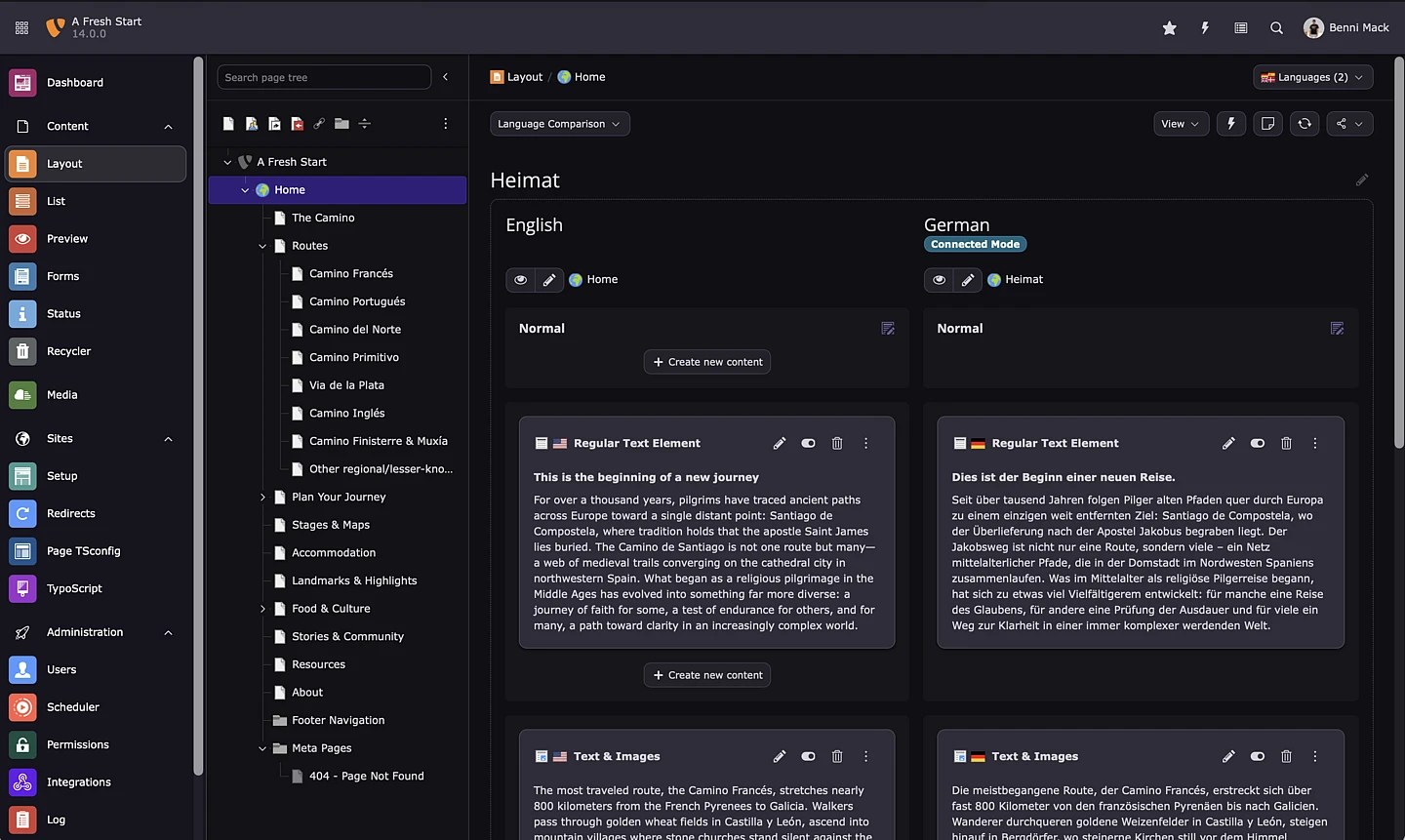
The document header (also known as DocHeader) has been redesigned to provide a more consistent and intuitive user experience across all backend modules. The new layout features a breadcrumb navigation and unified language selector for all backend modules.
The second row is reserved for action dropdowns and a range of buttons such as “save”, “close”, “reload”, “bookmark”, etc.
The Next Generation of Fluid and Flexible Template File Names
TYPO3’s default template engine, Fluid, has been part of the CMS for many years, and v14 features an upgrade to Fluid version 5, bringing cleaner, modernized code, a simplified cache warmup process, and stricter type handling for ViewHelpers.
The Core Team also reworded how Fluid automatically resolves paths to layout and template files. This improvement both simplifies file handling, and allows for introducing a dedicated file extension for Fluid templates.
Localization and Translation Improvements for Optimal Multilingual Management
New Guided Translation Workflow
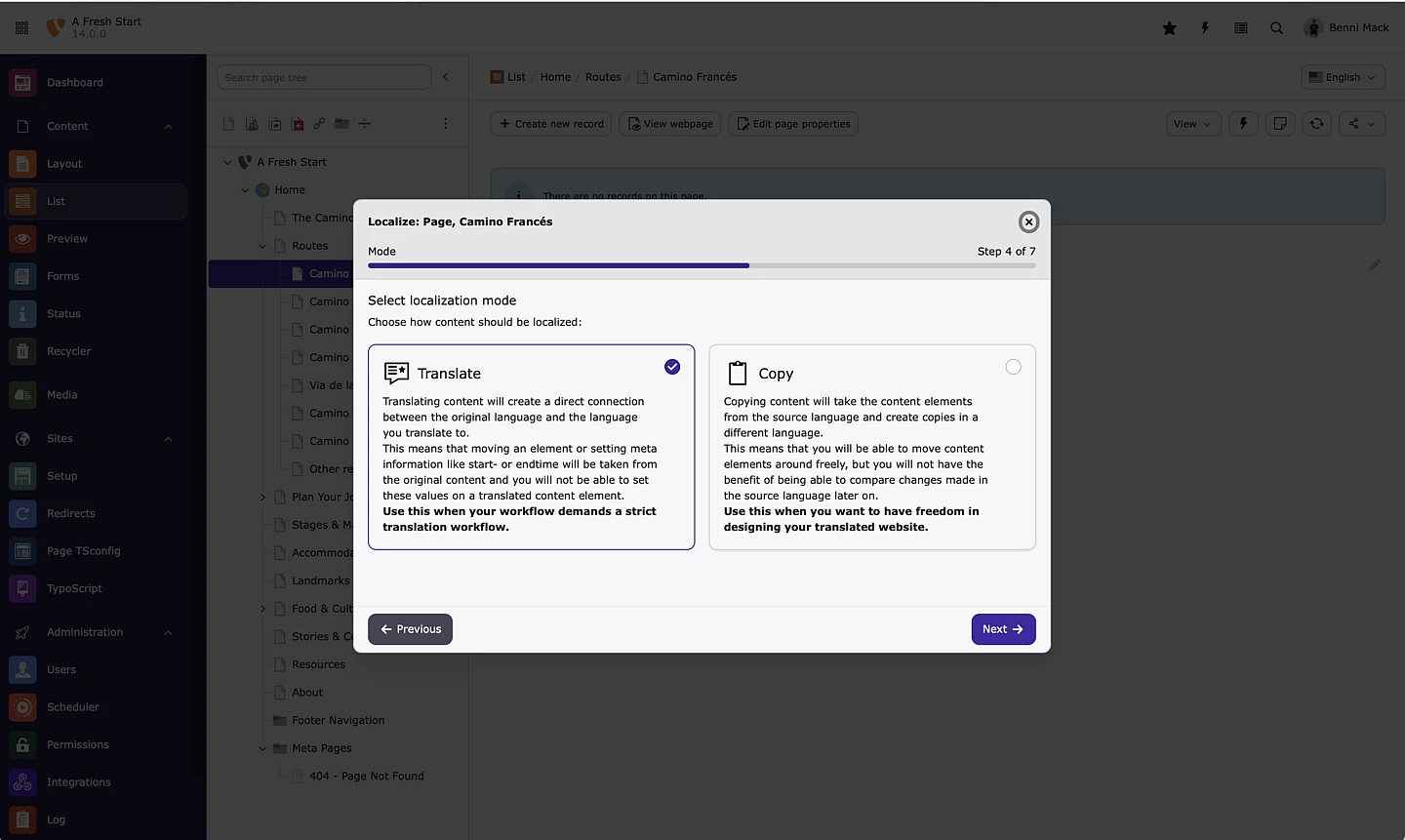
As a CMS that features robust localization capabilities, refining this feature offering is always a priority. In v14, a modernized approach replaces the previous localization system with a guided, step-by-step wizard that guides editors through the localization process.
When a translation is initiated anywhere in the backend, the new wizard opens, ensuring a consistent workflow across all modules. The new translation system also lets developers integrate custom localization handlers, including connections to third-party translation services or AI tools.
Improved Language Selection
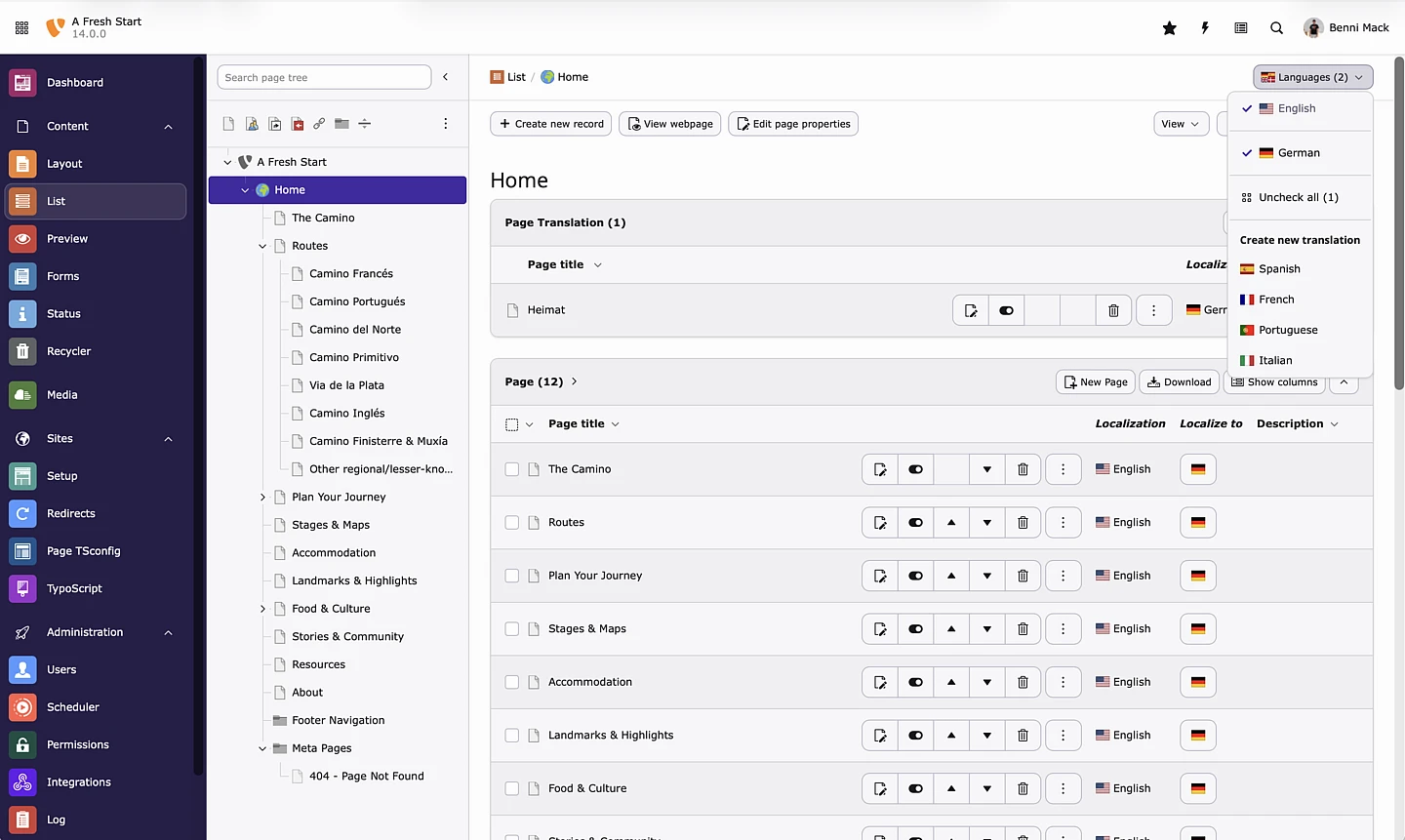
Switching between languages and choosing new ones is easier than ever. Backend users can select multiple languages to work on at the same time, hide or show individual languages, and easily enable or disable them. The language selection is retained across both Page and List modules for a consistent experience when moving between views.
We’re Just Getting Started: A Look Ahead
As we look ahead, these updates will be the first steps in what promises to be a step into the future for TYPO3. Delivering editors an improved experience, and making working on the CMS as efficient as possible is a key objective for the team as we continue to refine the platform.
We’re excited to document additional updates and new feature releases as they go live, and look forward to what’s still to come.
