
Enhanced Email Configuration — Approach and First Version
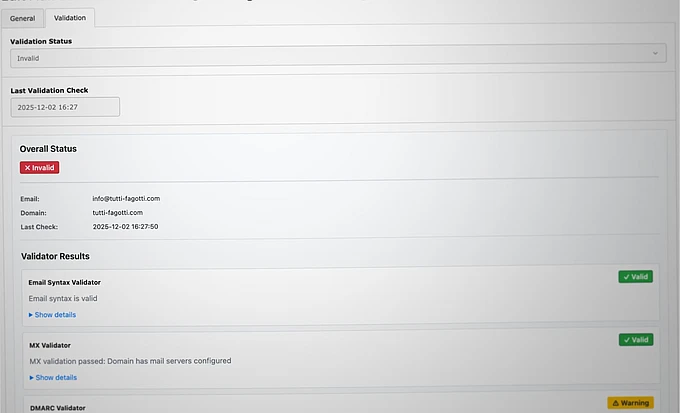
Email may be old, but it remains critical when reliability matters — and TYPO3 still lacks awareness of modern deliverability standards. This article outlines a first approach to central, validated sender configuration in TYPO3, making email setup safer and simpler for editors.

Email Still Matters
Are we still talking about email in 2025? Really?
Email is actually an ancient technology that has hardly evolved — real progress is more likely to be found in messengers or tools such as Slack and Teams. Nevertheless, email remains the method of choice when it matters; if only to recover passwords in case of doubt.
This makes it all the more important that emails are delivered reliably. In recent years, spam protection technologies have become established that TYPO3 is not yet familiar with. So I want to make it easy for editors: enter the sender address once, centrally, and rely on deliverability.
That's why I applied for Community Budget for Q4, 2025 to work on the idea: Enhanced Email Configuration with Multiple Senders and Automated Validation. Here I describe how I approached the project.

Defining Sender Addresses in TYPO3
The first step was to centrally define in the TYPO3 backend which sender addresses can be used to send emails. These will later be offered as selectable options in different modules. In other words: editors should not and must not enter arbitrary sender addresses.
This is actually a concrete problem when using TYPO3 forms — which currently offers free-form sender entry. So I will have to customize it.
I will briefly describe the checks involved using my email: marco@hauptsache.net
“marco” (before the @) is the local part or mailbox/user, and everything after the @ is the domain.
Checking the sender domain
The sender address must exist and be accessible. To verify this, I check the domain's MX record. In the example, this is:
dig hauptsache.net mx

; <<>> DiG 9.10.6 <<>> hauptsache.net mx
;; global options: +cmd
;; Got answer:
;; ->>HEADER<<- opcode: QUERY, status: NOERROR, id: 63727
;; flags: qr rd ra; QUERY: 1, ANSWER: 5, AUTHORITY: 0, ADDITIONAL: 1

;; OPT PSEUDOSECTION:
; EDNS: version: 0, flags:; udp: 512
;; QUESTION SECTION:
;hauptsache.net.            IN    MX

;; ANSWER SECTION:

hauptsache.net.        37767    IN    MX    10 aspmx2.googlemail.com.
hauptsache.net.        37767    IN    MX    5 alt1.aspmx.l.google.com.
hauptsache.net.        37767    IN    MX    1 aspmx.l.google.com.
hauptsache.net.        37767    IN    MX    5 alt2.aspmx.l.google.com.
hauptsache.net.        37767    IN    MX    10 aspmx3.googlemail.com.

;; Query time: 14 msec
;; SERVER: 2003:a:174c:5800::1#53(2003:a:174c:5800::1)
;; WHEN: Mon Dec 01 13:31:08 CET 2025
;; MSG SIZE  rcvd: 176
This confirms the domain handles mail correctly.
Checking the sender mailbox
The full sender address also needs to be valid and reachable.
To verify this, I look up the MX record and initiate a minimal SMTP handshake — just enough to test the mailbox without delivering an actual email. Since any mail server can be reached via Telnet, this is straightforward.
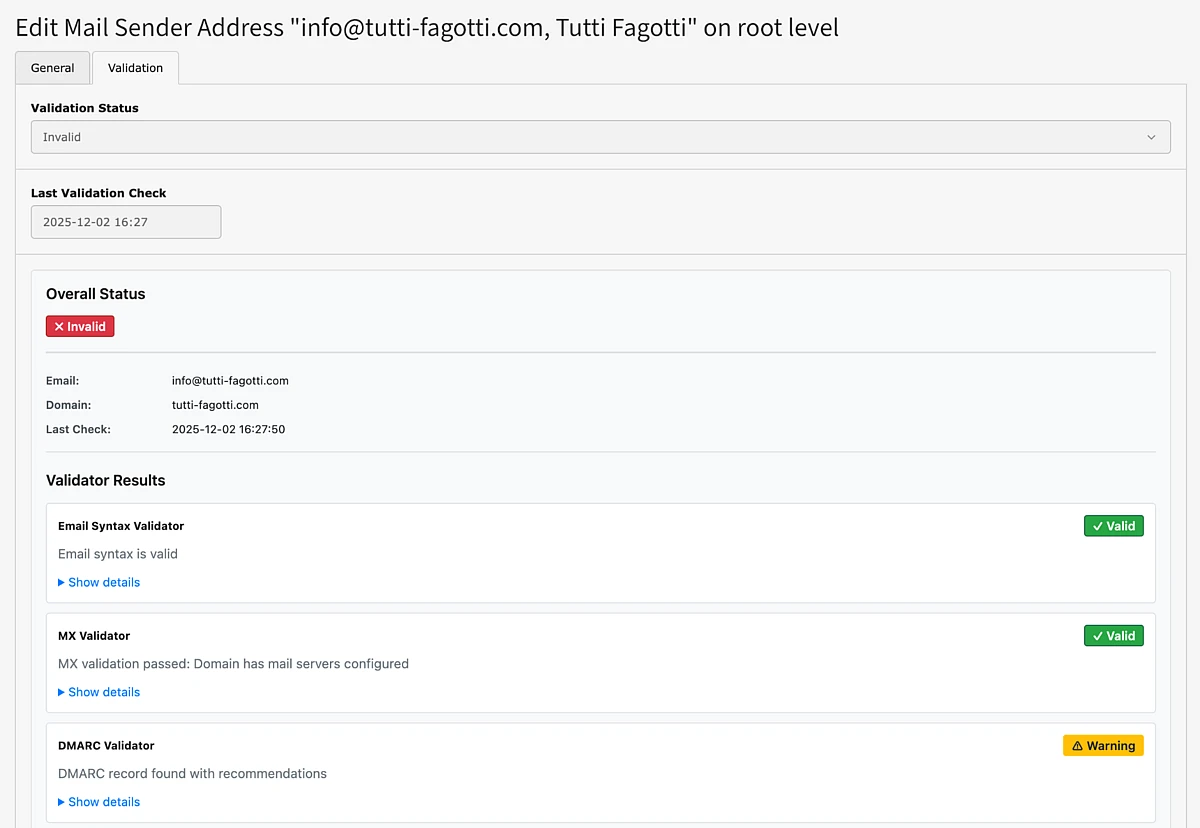
SPF, DMARC, and DKIM
Now the sending mail server must also match the sender domain, which is defined by Sender Policy Framework (SPF) as a DNS TXT record. This entry must be present, even if delivery without an SPF entry is still possible in individual cases.
However, since the SMTP server known to TYPO3 and the actual server that ultimately delivers the email may differ, a simple shell-based test is not enough.
In principle, you need to:
- Send an email
- Receive it
- Analyze the received header information
That requires mailbox access.
An alternative approach is to analyze an uploaded EML file from the editor.
When entering the email in the TYPO3 backend, all checks are performed with immediate feedback provided. In the best case, everything works; otherwise, my extension Mail Sender Configuration (typo3-mail-sender), provides instructions on what to do.
Test Emails (With a Catch)
Of course, every sender address can also be verified by sending a test email. The recipient can be freely chosen and is essentially irrelevant for the test.
Important note: Just because an email arrives at your address does not mean it will be delivered everywhere — your spam filter may be more tolerant than others, and the server you are testing is already known. Google's spam filter (Gmail) is very good at learning your servers and then delivering mail anyway.
Now everything has been tested and the email is being delivered — is everything fine? Almost, but experience has shown that DNS entries can change (accidentally), and then it is no longer possible to send emails. I strongly recommend integrators set up a Scheduler task to repeat the check on an ongoing basis.
What Have I Forgotten?
Do you know of any other methods that use spam filters that I should be aware of?
Are there any other important extensions, besides Forms, that send mail and should be customized? Do you still use Powermail (powermail)?
I welcome any tips and suggestions. You now have my email address.
