
AI Integration in TYPO3 Via MCP: The End of Backend Fumbling
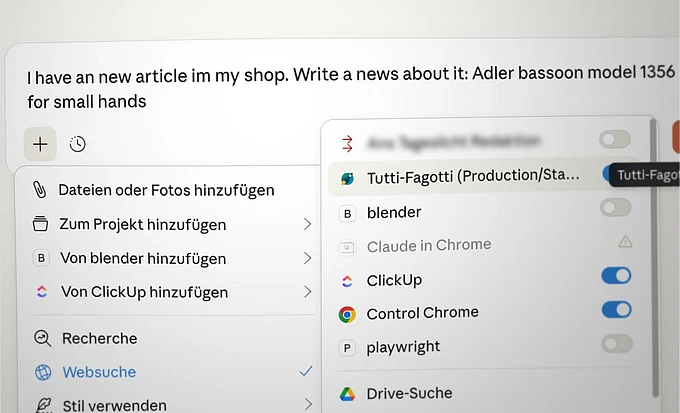
Content management meets artificial intelligence — and takes a quantum leap. With the Model Context Protocol (MCP) extension for TYPO3, editors control their content directly from ChatGPT & Co. No more copy-paste, no more backend hopping. Simply write, edit, publish — all in one tool.

Alexander Bernhardt is a developer at hauptsache.net. He shares his experiences exploring AI integration for TYPO3 using the Model Context Protocol (MCP). While his Q4/2025 Community Budget proposal didn’t get funded, that hasn’t stopped him from exploring what’s possible. In this article, he shows how the MCP can make content editing faster, smarter, and less frustrating — and invites the TYPO3 community to try it out, share experiences, and help shape the future of content management.
From the FTP Era to AI-Powered Editing
Remember those days? In the early web, content management meant: cropping images in Photoshop, uploading HTML files via FTP, and repeating the entire workflow for every typo. TYPO3 brought the turning point: Suddenly editors could handle nearly all technical tasks directly in the backend — from text to images to videos.
But editorial work remained fragmented: SEO tools for topic research, Word for text drafts, the backend for final input, separate tools for image editing. And then the backend reality: Anyone who only occasionally enters content or has to maintain complex extension structures like product databases knows the hurdles. Tagging, context consideration, consistent metadata — simple text input quickly becomes demanding specialized work.
What does this mean in practice?
Instead of juggling between different programs, you work in a single interface:
Scenario 1: The New Blog Article
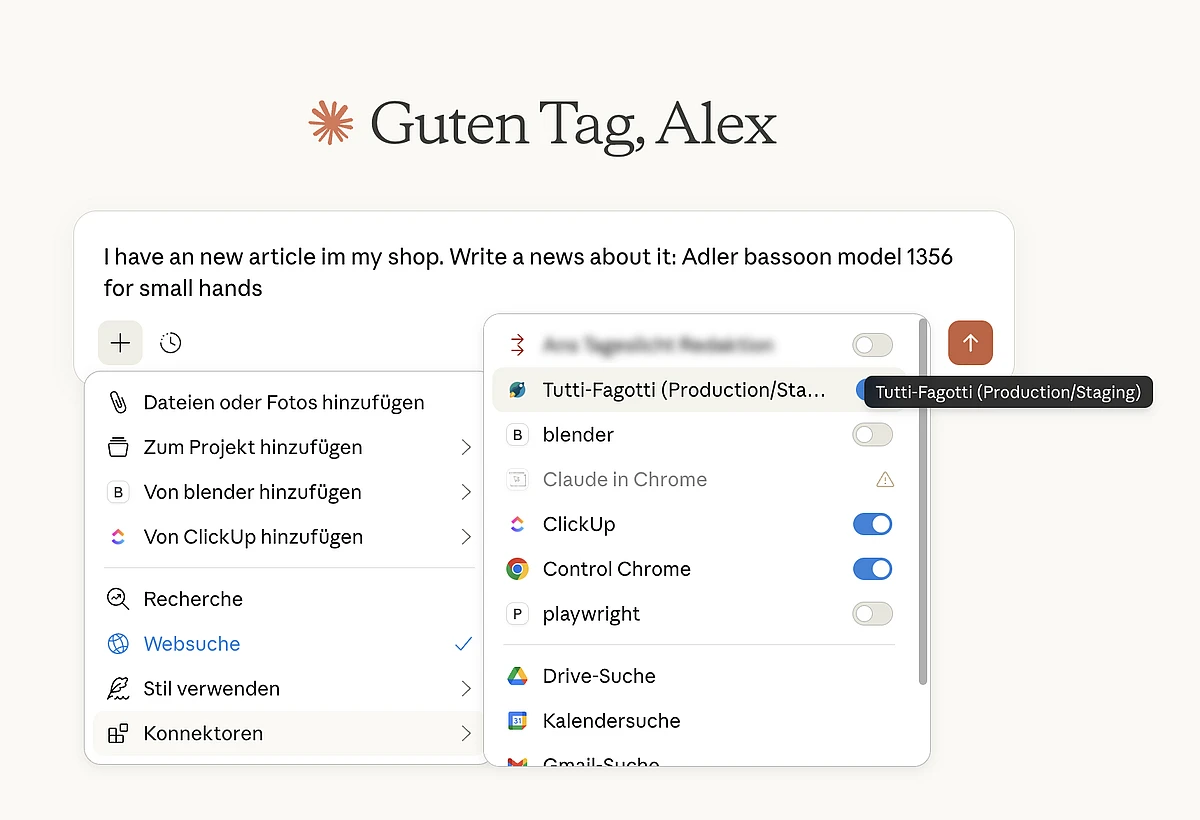
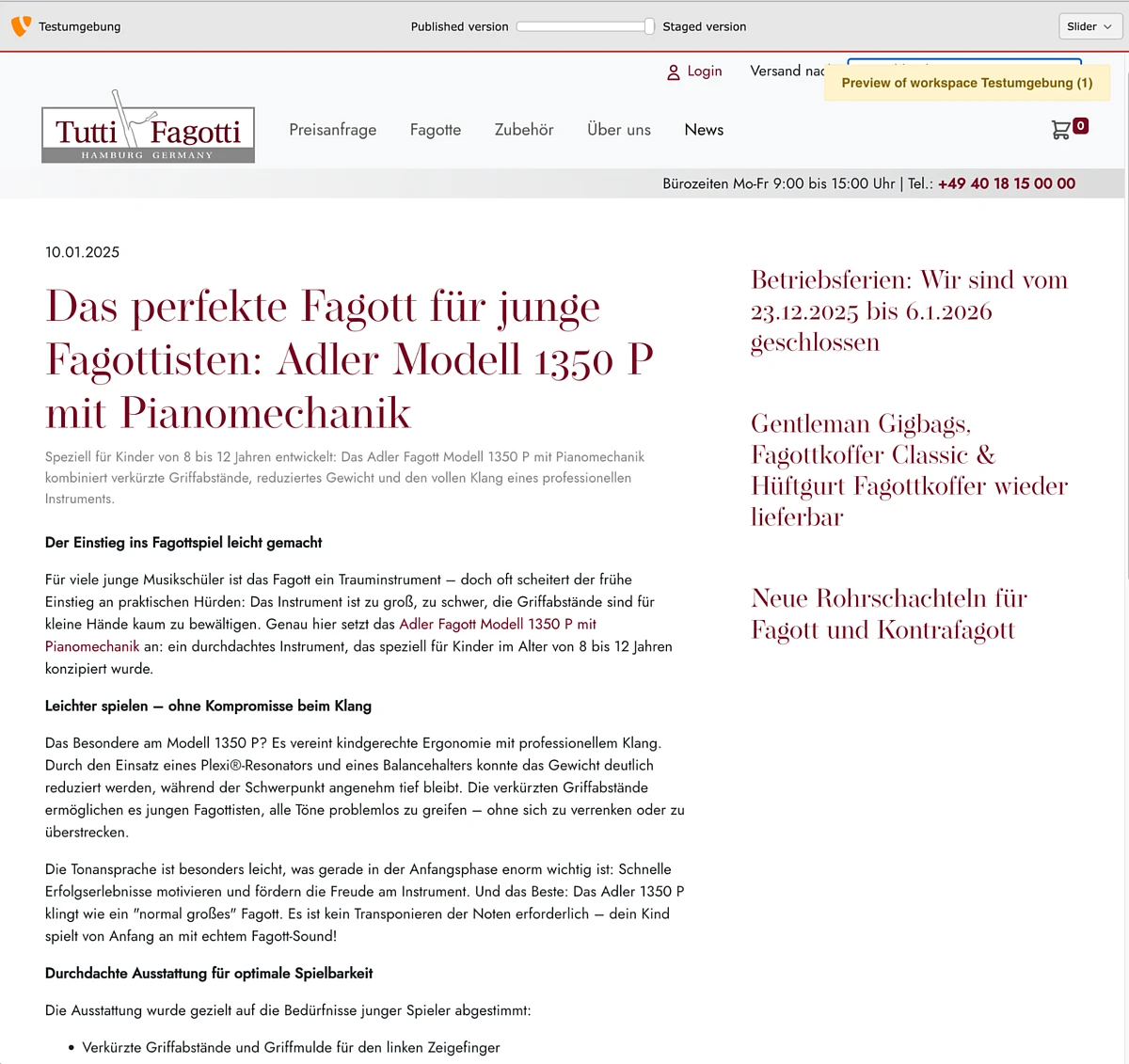
- “Write me an article about sustainable packaging solutions for our blog”
- The AI creates the text, optimizes it for SEO, selects appropriate tags from existing keywords
- “Publish the article on the ‘Sustainability‘ subpage”
- Done. No backend opened, no copy-paste, no forgotten metadata
Scenario 2: Content Audit Through Dialogue
- “Show me all pages that haven't been updated in 6 months”
- The AI lists the pages
- “Update the contact details on the About Us page and expand the section about our team”
- Changes are applied directly
Scenario 3: Bulk Operations Without Frustration
- “Add a note about our new warranty extension to all product pages in the ‘Electronics’ category”
- What used to mean tedious individual editing, the AI completes in seconds
Efficiency Reimagined: From Click Marathon to Batch Processing
Example: Website Translation
Before: Open backend, open page 1, translate, save. Open page 2, translate, save. With 50 pages: hours of repetitive work.
Today: “Translate all pages of the project into French.” The AI starts batch processing. While the translation runs, you dedicate yourself to other important tasks – strategy, planning, creative concepts. This is true efficiency.
Additional Batch Scenarios
- “Optimize all meta tags for better ranking”
- “Correct the old company address consistently across all pages”
- “Add the call-to-action for our newsletter to all news posts”
Instead of navigating the backend for hours, you give one instruction — and continue working in parallel.
More Than Just a Backend Extension
Yes, there are already AI solutions for TYPO3 — from AI Suite to specialized Content AI Extensions. These extend the backend with AI functions — and that's an important first step.
MCP goes further: Instead of bringing AI into the backend, it brings TYPO3 into the AI. The difference?
- No additional user interface: You work where you already create texts
- Context awareness: The AI knows your entire content structure, not just the current page
- Workflow integration: From research through creation to publication — all in one tool
- Intelligent linking: The AI automatically considers existing taxonomies, related content, and page structures
- Batch capability: Edit hundreds of pages with one command — parallel to your other work
Who Is This Relevant For?
Integrators: New Services, Happier Clients
Offer your clients real added value: editorial efficiency through AI integration. A setup that pays off — especially for clients with regular content needs or complex page structures. Multilingual projects? No longer a problem.
Developers: The Future of Content Management
MCP is open source and freely available. Experiment, extend, customize. This isn't the final evolution of content management — but certainly a significant step.
Editors: Less Clicking, More Creating
Focus on what you do best: conceiving content, telling stories, developing strategies. The AI handles the technical implementation. And while it works, you're already planning the next project.
Try It Now
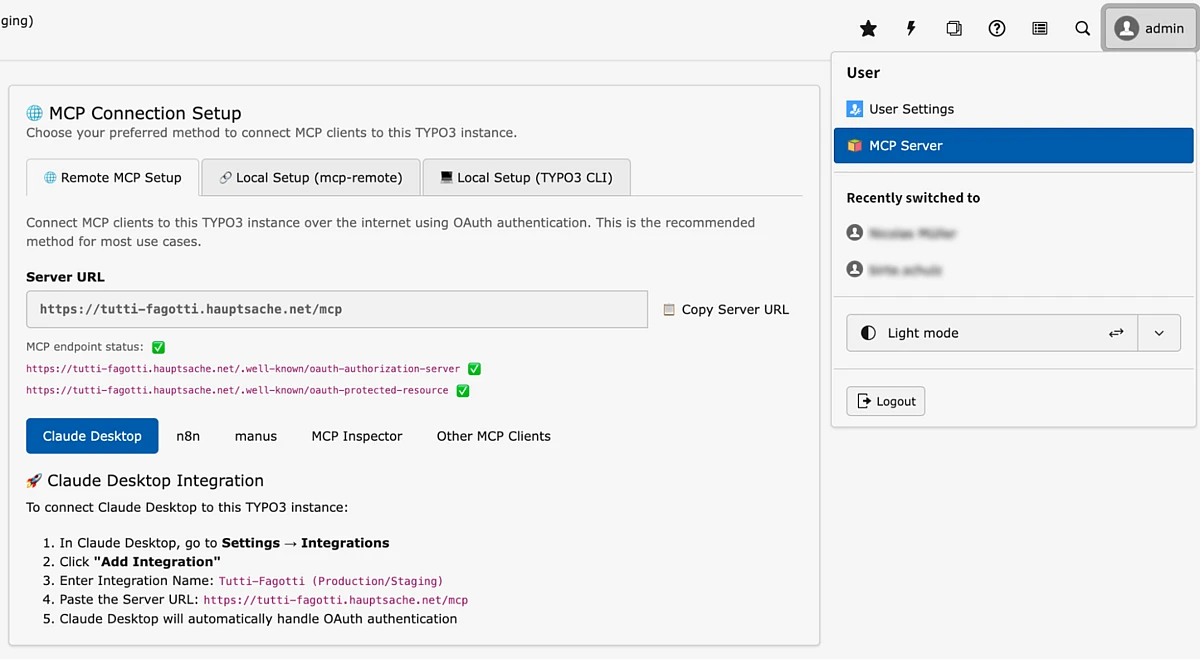
The code is publicly accessible on GitHub and free to use.
Installation requires: solid TYPO3 knowledge, experience in backend management, and ideally existing experience with AI tools like ChatGPT or Claude. The documentation guides you step by step through the integration.
Outlook
We're only at the beginning. MCP for TYPO3 shows where the journey is likely heading: Content management is becoming more natural language-based, intuitive, efficient. The boundaries between different tools are blurring. What remains: high-quality content — just faster, more consistent, and with less frustration.
Attention, content professionals: The future is here. And it speaks your language.
The community in the GitHub repository welcomes feedback, experience reports, and further developments. Let's shape the future of TYPO3 content management — together.
